
TECHNOVEZ
Enterprise AI Automation & Digital Transformation
A Vendor-Neutral Enterprise Comparison
By the Technovez Editorial Team | Enterprise AI Platform Insights | 2026
| Featured Snippet Answer | Microsoft Copilot Studio is a low-code platform for building AI agents deeply integrated with Microsoft 365 and Power Platform, best suited to business-led development. The OpenAI Agents SDK is a code-first Python framework for building custom multi-agent systems, best suited to engineering teams needing maximum flexibility. Many enterprises use both. |
1. Executive Summary
| Quick Answer | Microsoft Copilot Studio and the OpenAI Agents SDK solve overlapping problems with different approaches: Copilot Studio prioritizes low-code speed and Microsoft ecosystem integration, while the OpenAI Agents SDK prioritizes developer control and flexible, code-first agent architecture. Neither is universally better — the right choice depends on team skills, existing infrastructure, and governance requirements. |
Enterprise teams evaluating AI agent platforms in 2026 increasingly narrow their shortlist to two very different approaches: Microsoft Copilot Studio, a low-code platform built for rapid development inside the Microsoft ecosystem, and the OpenAI Agents SDK, a code-first Python framework built for engineering teams who want direct control over agent behavior and orchestration.
This comparison is written to be genuinely vendor-neutral. Both platforms are strong choices for the right context, and both have real limitations. Organizations already standardized on Microsoft 365 and Power Platform, with business users who need to build and maintain agents themselves, tend to get more value from Copilot Studio's low-code approach and governance tooling. Organizations with strong engineering teams building custom, highly specific multi-agent systems — or those already deep in the OpenAI ecosystem — tend to get more value from the Agents SDK's flexibility and code-level control.
Many enterprises, in practice, end up using both: Copilot Studio for business-facing agents embedded in Microsoft 365 workflows, and the OpenAI Agents SDK for custom, engineering-owned agent systems with specific orchestration requirements. This guide covers both platforms in depth, a full feature and architecture comparison, security and governance considerations, enterprise use cases, and a decision framework to help you choose — or combine them — deliberately.
Key Takeaways
- Microsoft Copilot Studio is a low-code platform optimized for speed, governance, and deep Microsoft 365/Power Platform integration.
- The OpenAI Agents SDK is a code-first Python framework optimized for flexibility, custom orchestration, and engineering control.
- Feature parity exists in some areas (tool calling, memory, tracing) but the development model and target user differ fundamentally.
- Security and governance approaches differ: Copilot Studio leans on Microsoft's built-in enterprise controls, while the Agents SDK requires more custom implementation.
- A hybrid architecture — using both platforms for different parts of an AI strategy — is a common and often practical enterprise pattern.
- The right choice depends more on team skills, governance requirements, and existing infrastructure than on any single feature comparison.
2. What Is Microsoft Copilot Studio?
| Quick Answer | Microsoft Copilot Studio is a low-code platform for building conversational and autonomous AI agents that connect to enterprise data and systems, with governance, security, and Microsoft 365 integration built in. |
Copilot Studio lets business users and developers build AI agents through a graphical, low-code interface rather than writing extensive custom code. Agents can be configured with topics, actions, and knowledge sources, then deployed into Microsoft Teams, websites, or other channels.
Core Capabilities
- Low-Code Development: Agents are built through a visual designer, with optional custom logic where needed.
- AI Agents: Support for both conversational agents and more autonomous agents that can take multi-step action.
- Copilot Extensions: Ability to extend Microsoft 365 Copilot experiences with custom agent capabilities.
- Microsoft Ecosystem Integration: Native connections to Teams, SharePoint, Dynamics 365, and the broader Power Platform.
- Governance: Built-in environment-level controls, data loss prevention policies, and admin oversight through the Power Platform admin center.
- Security: Integration with Microsoft Entra ID for identity and access management.
- Licensing Considerations: Typically licensed through Microsoft 365 or Power Platform plans, with usage-based components for certain capabilities — organizations should confirm current licensing details directly with Microsoft.
3. What Is OpenAI Agents SDK?
| Quick Answer | The OpenAI Agents SDK is a code-first Python framework for building AI agents with explicit control over tool calling, memory, handoffs between agents, and tracing, designed for developers who need custom orchestration logic. |
The Agents SDK provides a programming framework rather than a visual builder. Developers define agents, the tools they can call, and how agents hand off tasks to one another, directly in code — giving fine-grained control over behavior that low-code platforms typically abstract away.
Core Capabilities
- SDK Architecture: A Python-first framework for defining agents, tools, and orchestration logic programmatically.
- Agent Workflows: Support for structured, multi-step workflows involving one or more agents.
- Tool Calling: Explicit definition of the tools and functions an agent can invoke.
- Memory: Developer-managed context and state persistence across agent interactions.
- Handoffs: A defined mechanism for one agent to transfer a task to another, specialized agent.
- Tracing: Built-in tracing capabilities for debugging and observing agent execution.
- Python-First Development: Designed primarily for Python developers, with the flexibility that implies.
- Extensibility: Open framework design that allows custom integrations beyond what's provided out of the box.
4. Feature Comparison
| Quick Answer | Microsoft Copilot Studio and the OpenAI Agents SDK differ most in development approach — low-code versus code-first — which cascades into differences in customization depth, developer experience, and business-user accessibility. | |
| Dimension | Microsoft Copilot Studio | OpenAI Agents SDK |
| Development Approach | Low-code, visual designer | Code-first, Python framework |
| Low-Code vs Code-First | Low-code by design | Code-first by design |
| Ease of Use | Accessible to business users | Requires software development skills |
| Customization | Configurable within platform boundaries | Fully customizable at the code level |
| Agent Orchestration | Built-in orchestration through topics and actions | Explicit orchestration and handoffs in code |
| Tool Integration | Native connectors plus custom actions | Developer-defined tool functions |
| Workflow Automation | Strong via Power Automate integration | Requires custom integration work |
| Memory | Managed by the platform | Developer-managed and configurable |
| Tracing | Monitoring through Power Platform admin tools | Native tracing built into the SDK |
| Observability | Platform-provided analytics and monitoring | Requires custom or third-party observability tooling |
| Enterprise Security | Built-in via Microsoft Entra ID and Purview | Requires custom implementation using OpenAI API security features |
| Compliance | Inherits Microsoft's compliance certifications | Compliance posture depends on custom implementation |
| Identity Management | Native Entra ID integration | Requires custom identity integration |
| Scalability | Scales within Power Platform capacity models | Scales based on custom infrastructure design |
| Deployment Flexibility | Deploys within Microsoft-managed environments | Deployable in any environment supporting Python |
| Extensibility | Extensible via custom connectors and code steps | Highly extensible, open framework |
| Monitoring | Power Platform admin center dashboards | Custom monitoring, often paired with external tools |
| Developer Experience | Moderate — optimized for low-code speed | Strong — full programmatic control |
| Business User Experience | Strong — designed for non-developers | Limited — requires developer involvement |
5. Architecture Comparison
| Quick Answer | Copilot Studio's architecture routes through Microsoft-managed services and connectors, while the OpenAI Agents SDK's architecture is defined and controlled directly in application code, with developers responsible for integration points. |
The key architectural distinction is where integration logic lives. Copilot Studio pushes most integration into managed connectors and Power Automate flows, reducing custom code but constraining flexibility to what the platform supports. The Agents SDK pushes integration into application code, increasing flexibility but requiring the development team to build and maintain those integrations directly.
6. Integration Ecosystem
| Quick Answer | Microsoft Copilot Studio integrates natively with the Microsoft ecosystem, while the OpenAI Agents SDK integrates with any system reachable through code or an MCP server, including Microsoft services, but with more implementation effort. | |
| Integration | Microsoft Copilot Studio | OpenAI Agents SDK |
| Microsoft 365 | Native | Via custom API integration |
| Teams | Native deployment channel | Requires custom bot/API integration |
| SharePoint | Native connector | Via custom API integration |
| Dynamics 365 | Native connector | Via custom API integration |
| Power Automate | Native integration | Not directly applicable |
| Power Apps | Native integration | Not directly applicable |
| Azure AI Foundry | Supported as underlying model layer | Can be used as the model provider |
| Azure OpenAI | Supported as underlying model layer | Can be used as the model provider |
| GitHub | Via custom connector | Native for developer workflows |
| Slack | Via custom connector | Via custom API integration |
| Salesforce | Via custom connector | Via custom API integration |
| SAP | Via custom connector | Via custom API integration |
| REST APIs | Supported via custom actions | Native, core to the SDK's design |
| Model Context Protocol (MCP) | Emerging support for MCP-based tool connections | Well-suited to MCP given its code-first design |
7. Security & Governance
| Quick Answer | Microsoft Copilot Studio inherits enterprise security and governance controls from Microsoft Entra ID and Power Platform admin tooling, while the OpenAI Agents SDK requires development teams to design and implement most security and governance controls directly. | |
| Control | Microsoft Copilot Studio | OpenAI Agents SDK |
| RBAC | Native via Power Platform environments | Custom implementation required |
| Authentication | Microsoft Entra ID native integration | API key-based, custom auth for end users |
| Entra ID | Fully integrated | Requires custom integration if needed |
| API Keys | Managed within Microsoft's platform | Primary authentication mechanism for OpenAI API access |
| Audit Logging | Available via Power Platform admin center | Requires custom logging implementation |
| Compliance | Inherits Microsoft's compliance certifications | Depends on how the application is architected and hosted |
| Data Residency | Configurable within Microsoft's regional options | Depends on hosting and API configuration choices |
| Responsible AI | Microsoft Responsible AI Standard applies | Governed by OpenAI's usage policies and developer implementation |
| Human Approval | Configurable approval steps within topics/flows | Must be explicitly built into agent workflow logic |
| Secrets Management | Managed within Power Platform environments | Developer-managed, typically via external secrets tooling |
| Enterprise Governance | Centralized via Power Platform admin center | Requires custom governance tooling and process |
8. Enterprise Use Cases
| Quick Answer | Both platforms support similar enterprise use case categories — customer support, HR, IT help desk, and more — but the better fit depends on whether the use case benefits more from Microsoft ecosystem integration or custom orchestration logic. |
Customer Support
Copilot Studio suits Teams- or web-embedded support agents; the Agents SDK suits custom support systems with complex, multi-agent triage logic.
HR
Copilot Studio's SharePoint and Microsoft 365 integration fits policy Q&A agents well; the Agents SDK fits custom HR systems needing deep workflow logic.
IT Help Desk
Copilot Studio integrates naturally with Teams and Microsoft service management tools; the Agents SDK fits custom ticketing integrations outside the Microsoft stack.
Sales
Copilot Studio pairs naturally with Dynamics 365; the Agents SDK fits custom CRM integrations or non-Microsoft sales stacks.
Healthcare
Either platform can work with appropriate compliance review; the choice often depends on the existing clinical systems' integration requirements.
Insurance
Copilot Studio suits claims Q&A within Microsoft-based systems; the Agents SDK suits custom, multi-step claims processing logic.
Finance
Copilot Studio fits Microsoft-integrated reporting assistants; the Agents SDK fits custom financial analysis agents with specific data pipelines.
Manufacturing
Copilot Studio fits Microsoft 365-based operational assistants; the Agents SDK fits custom integrations with specialized industrial systems.
Legal
Copilot Studio suits SharePoint-based document Q&A; the Agents SDK suits custom contract analysis workflows with specific tooling.
Software Development
The Agents SDK is generally the stronger fit given its code-first, developer-native design and GitHub integration.
Internal Knowledge Assistants
Copilot Studio is often the faster path for Microsoft 365-centric knowledge assistants; the Agents SDK suits custom knowledge systems with non-Microsoft data sources.
9. Cost & Licensing Considerations
| Quick Answer | Microsoft Copilot Studio is typically licensed through Microsoft 365 or Power Platform plans with usage-based components, while the OpenAI Agents SDK is free and open-source but incurs OpenAI API usage costs plus the engineering time to build and maintain custom infrastructure. |
Cost comparisons between these platforms are easy to oversimplify, so it's worth being precise about what you're actually paying for.
- Microsoft Copilot Studio: Licensing is typically tied to Microsoft 365 or Power Platform plans, often with additional usage-based charges for message or session volume; organizations should confirm current pricing directly with Microsoft, as licensing models can change.
- OpenAI Agents SDK: The SDK itself is open-source and free to use, but production systems incur OpenAI API usage costs based on model and token consumption, plus the infrastructure and engineering cost of building, hosting, and maintaining the surrounding system.
- Total Cost of Ownership: Copilot Studio's cost is more predictable and bundled but constrained by platform boundaries; the Agents SDK's cost is more variable, driven heavily by engineering time and API consumption, but offers more control over where that cost goes.
- Long-Term Maintenance: Copilot Studio shifts more maintenance burden to Microsoft's platform updates; the Agents SDK shifts more maintenance burden to the internal engineering team maintaining custom code.
10. When to Choose Microsoft Copilot Studio
| Quick Answer | Choose Microsoft Copilot Studio when your organization is standardized on Microsoft 365, needs business users to build and maintain agents, and values built-in governance over maximum customization. |
- Your organization already relies heavily on Microsoft 365, Teams, and Power Platform.
- Business users, not just developers, need to build or maintain agents.
- Time to market matters more than deep customization.
- Built-in governance and compliance inheritance from Microsoft are a priority.
- Use cases fit well within Microsoft's native connector ecosystem.
11. When to Choose OpenAI Agents SDK
| Quick Answer | Choose the OpenAI Agents SDK when you have strong engineering resources, need custom multi-agent orchestration, or are building outside the Microsoft ecosystem with specific integration requirements. |
- Your team has strong Python development capabilities.
- The use case requires custom orchestration logic that a low-code platform can't easily express.
- You need fine-grained control over agent memory, handoffs, and tool calling.
- Your infrastructure and data sources sit largely outside the Microsoft ecosystem.
- You're building a product or system where AI agents are a core, differentiated capability rather than an internal productivity tool.
12. Hybrid Architecture
| Quick Answer | Enterprises can combine Microsoft Copilot Studio and the OpenAI Agents SDK by using Copilot Studio for business-facing, Microsoft-integrated agents while using the Agents SDK for custom, engineering-owned agent systems, connecting the two through APIs or MCP. |
These platforms aren't mutually exclusive. A common enterprise pattern uses Copilot Studio as the front door for business users — handling Teams-based interactions, SharePoint knowledge retrieval, and Power Automate-driven workflows — while more complex or specialized reasoning is handed off to a custom multi-agent system built with the OpenAI Agents SDK, exposed back to Copilot Studio as a custom action or API.
This hybrid approach lets business teams keep using familiar low-code tools for the majority of use cases, while engineering teams retain full control over the specific workflows that genuinely need custom orchestration — without forcing every use case through the same platform.
13. Common Mistakes
| Quick Answer | The most common mistakes in choosing between these platforms include deciding based on price alone, ignoring governance requirements, skipping production monitoring, and underinvesting in architecture planning before development begins. |
- Choosing Based Only on Price: Licensing cost is one factor among several; total cost of ownership includes engineering time and long-term maintenance.
- Ignoring Governance: Selecting a platform without first defining governance requirements often means retrofitting controls later, at higher cost.
- No Production Monitoring: Treating either platform's default tooling as sufficient without validating it against real production needs.
- Weak Security: Underestimating the security implementation required, particularly with the Agents SDK's more hands-on model.
- Poor Architecture Planning: Building without a clear view of how the agent system will scale or integrate with existing infrastructure.
- No Human Oversight: Deploying agents with autonomous actions before defining appropriate human checkpoints.
14. Future Trends (2026–2030)
| Quick Answer | Between 2026 and 2030, expect continued growth in Agentic AI adoption, wider Model Context Protocol usage for tool integration, maturing multi-agent orchestration, and increasingly AI-native enterprise business applications. |
- Agentic AI: Continued growth in AI agents handling judgment-based, multi-step tasks across both platform types.
- Multi-Agent Orchestration: Maturing patterns and tooling for coordinating specialized agents across both low-code and code-first platforms.
- Model Context Protocol (MCP): Growing adoption as a standard connecting agents — regardless of platform — to tools and data sources.
- Enterprise AI Operating Systems: Emerging platforms providing a unified management layer across multiple agent frameworks and vendors.
- AI-Native Business Applications: Business applications increasingly designed around agent capability from the outset, rather than adding AI to existing workflows.
- Autonomous Enterprise Workflows: Expanding scope of tasks handled autonomously within governed boundaries, across both Microsoft and OpenAI-based systems.
15. How Technovez Helps
Technovez works with both platforms — helping enterprises choose the right fit, or the right combination, rather than defaulting to one vendor regardless of context.
- Microsoft Copilot Studio: Designing and building governed, production-ready agents within the Microsoft ecosystem
- OpenAI Agents SDK: Building custom multi-agent systems with the orchestration logic your use case actually requires
- Enterprise AI: Aligning platform choice with broader AI strategy and business objectives
- AI Automation: Connecting agent systems to real business workflows, regardless of platform
- AI Governance: Establishing the policy and oversight structures both platforms require in production
- Azure AI: Implementing Azure AI Foundry and Azure OpenAI as the model layer for either platform
- Power Platform: Extending governed, low-code automation alongside custom agent development
- AI Strategy: Helping organizations decide when to use one platform, the other, or both together
- Digital Transformation: Ensuring platform decisions support broader enterprise transformation goals
Comparison Tables
Microsoft Copilot Studio vs OpenAI Agents SDK (Summary)
| Dimension | Microsoft Copilot Studio | OpenAI Agents SDK |
| Best For | Business-led development, Microsoft-centric orgs | Engineering-led development, custom systems |
| Primary User | Business users and citizen developers | Software engineers |
| Governance Model | Built-in via Microsoft platform | Custom-built by the implementation team |
| Time to First Agent | Typically faster for standard use cases | Typically slower, but more flexible long-term |
Low-Code vs Code-First AI Development
| Dimension | Low-Code | Code-First |
| Speed to Build | Faster for standard patterns | Slower initially, faster to extend later |
| Flexibility | Bounded by platform capabilities | Effectively unlimited, bounded by engineering effort |
| Maintenance Owner | Business or IT operations teams | Software engineering teams |
| Skill Requirement | Low-code / configuration skills | Software development skills |
Enterprise AI Platforms Comparison
| Dimension | Microsoft Copilot Studio | OpenAI Agents SDK |
| Deployment Model | Managed SaaS within Microsoft's cloud | Self-managed, deployed by the development team |
| Ecosystem Lock-In | Higher — tied to Microsoft's platform | Lower — portable across hosting environments |
| Customization Ceiling | Bounded by platform features | Effectively unbounded |
| Ideal Team Size/Type | Mixed business and IT teams | Dedicated engineering teams |
Decision Framework: Which AI Platform Is Right for Your Business?
Use this weighted decision matrix to compare platforms against the factors that matter most to your organization. Score each platform from 1 (poor fit) to 5 (strong fit) for each factor, multiply by the weight, and total the result.
| Factor | Weight | Copilot Studio Score | Agents SDK Score |
| Team Skills (low-code vs. engineering) | 20% | ___ | ___ |
| Compliance Requirements | 15% | ___ | ___ |
| Budget Predictability | 15% | ___ | ___ |
| Customization Needs | 20% | ___ | ___ |
| Time to Market | 10% | ___ | ___ |
| Enterprise Integration Needs | 10% | ___ | ___ |
| Long-Term Scalability | 10% | ___ | ___ |
Multiply each score by its weight and sum both columns. The platform with the higher weighted total is the stronger fit on paper — though for many enterprises, the practical answer is a hybrid approach using both, as outlined in Section 12.
Enterprise AI Platform Selection Checklist
☐ Team skill set assessed (low-code vs. engineering capacity)
☐ Existing Microsoft 365 / Power Platform investment evaluated
☐ Governance and compliance requirements documented
☐ Customization requirements clearly defined
☐ Total cost of ownership estimated for each option
☐ Pilot use case selected to validate platform fit
AI Governance Checklist
☐ Governance ownership assigned regardless of platform choice
☐ RBAC and least-privilege access defined
☐ Audit logging enabled and reviewed regularly
☐ Human approval checkpoints defined for high-risk agent actions
☐ Compliance mapping completed against relevant regulations
Production Readiness Checklist
☐ Monitoring and observability implemented for the chosen platform
☐ Fallback behavior defined for low-confidence agent outputs
☐ Load testing completed against expected usage volume
☐ Rollback plan defined for agent updates
☐ Ownership assigned for ongoing maintenance and optimization
Platform Selection Framework
Beyond the weighted matrix, platform selection benefits from a simple sequence: first assess team skills and existing infrastructure, then map governance requirements, then evaluate customization needs against each platform's ceiling, and only then weigh cost. Organizations that start with cost alone tend to underweight the engineering and governance implications that matter more over the system's lifetime.
| Step | What to Do |
| 1. Assess Team Skills | Determine whether business users or engineers will primarily build and maintain agents. |
| 2. Map Governance Requirements | Define compliance, security, and oversight requirements before evaluating platform fit. |
| 3. Evaluate Customization Needs | Compare use case complexity against each platform's flexibility ceiling. |
| 4. Weigh Total Cost of Ownership | Consider licensing, API usage, and engineering time together, not licensing alone. |
| 5. Pilot Before Committing | Validate platform fit with a scoped pilot before broader rollout. |
Comparison Scorecard
Use this scorecard to summarize your organization's evaluation across key dimensions.
| Dimension | Copilot Studio | Agents SDK |
| Ease of Use | ___ / 10 | ___ / 10 |
| Customization | ___ / 10 | ___ / 10 |
| Governance & Security | ___ / 10 | ___ / 10 |
| Ecosystem Integration | ___ / 10 | ___ / 10 |
| Total Cost of Ownership | ___ / 10 | ___ / 10 |
| Overall | ___ / 50 | ___ / 50 |
90-Day Enterprise Adoption Roadmap
| Timeframe | Focus |
| Days 1–15 | Assess team skills, existing infrastructure, and governance requirements; complete the decision matrix. |
| Days 16–30 | Select a pilot use case and platform; define success metrics. |
| Days 31–50 | Build the pilot agent, including core governance and security controls. |
| Days 51–65 | Test the pilot with real users; gather feedback and refine. |
| Days 66–80 | Conduct a security and governance review ahead of production deployment. |
| Days 81–90 | Deploy to production with monitoring in place; plan next use cases. |
Migration Strategy Recommendations
Organizations migrating between platforms — or consolidating from ad hoc AI tools onto one of these platforms — benefit from a phased approach rather than a single cutover.
- Inventory existing AI agents, bots, and automations before migration planning begins.
- Prioritize migrating use cases with clear, well-documented logic before more complex or ambiguous ones.
- Run the new platform in parallel with the existing system during a validation period before fully decommissioning the old one.
- Preserve conversation and usage logs where possible to support before/after performance comparison.
- Communicate migration timelines clearly to business users who interact with the affected agents.
Architecture Best Practices for Production Deployments
- Design for least-privilege access from the start, regardless of platform.
- Separate business logic from orchestration logic to simplify maintenance and testing.
- Build human approval checkpoints into the architecture, not as an afterthought.
- Implement centralized logging and monitoring before scaling beyond a pilot.
- Version prompts, agent configurations, and tool definitions like code.
- Plan for graceful degradation when a tool call or model response fails.
- Document integration points clearly, especially in hybrid architectures spanning both platforms.
AI Platform Glossary
| Term | Definition |
| Microsoft Copilot Studio | A low-code platform for building conversational and autonomous AI agents integrated with Microsoft 365 and Power Platform. |
| OpenAI Agents SDK | A code-first Python framework for building AI agents with explicit control over orchestration, tools, and memory. |
| Agentic AI | AI systems that plan, reason, and act with bounded autonomy toward a defined goal. |
| Tool Calling | The mechanism by which an AI agent invokes external functions, APIs, or systems. |
| Handoff | The transfer of a task from one AI agent to another, more specialized agent. |
| Tracing | Recorded execution detail used to debug and observe AI agent behavior. |
| Low-Code Development | Building applications primarily through visual configuration rather than writing code. |
| Code-First Development | Building applications primarily by writing code rather than visual configuration. |
| Power Platform | Microsoft's low-code suite spanning apps, automation, and data (Power Apps, Power Automate, Dataverse). |
| Azure AI Foundry | Microsoft's platform for building, evaluating, and deploying custom AI models and agents. |
| Azure OpenAI | Microsoft's enterprise-hosted offering of OpenAI models with added access controls. |
| Model Context Protocol (MCP) | An open protocol standardizing how AI applications connect to external tools and data sources. |
| Retrieval-Augmented Generation (RAG) | An architecture pattern that retrieves relevant data before a model generates a response. |
| Microsoft Entra ID | Microsoft's identity and access management service. |
| RBAC | Role-based access control, restricting system access based on assigned roles. |
| Multi-Agent System | An architecture where multiple specialized AI agents coordinate on different parts of a task. |
| Total Cost of Ownership (TCO) | The full cost of a system over its lifetime, including licensing, infrastructure, and maintenance. |
| Citizen Developer | A business user who builds applications or automations without a formal software engineering role. |
Frequently Asked Questions
What is Microsoft Copilot Studio?
Microsoft Copilot Studio is a low-code platform for building conversational and autonomous AI agents that connect to enterprise data, with governance and Microsoft 365 integration built in.
What is the OpenAI Agents SDK?
The OpenAI Agents SDK is a code-first Python framework for building AI agents with explicit control over tool calling, memory, handoffs, and orchestration.
Which platform is better for enterprises?
Neither is universally better; Copilot Studio tends to suit Microsoft-centric, business-led development, while the Agents SDK tends to suit engineering-led, highly custom systems.
Can I use both together?
Yes. A common enterprise pattern uses Copilot Studio for business-facing agents and the Agents SDK for custom, engineering-owned agent systems, connected through APIs or MCP.
Which platform requires coding?
The OpenAI Agents SDK requires Python development skills; Copilot Studio is designed for low-code use, though custom logic can involve some code.
Is Copilot Studio suitable for developers?
Yes, developers can extend Copilot Studio with custom connectors and code steps, though its core design favors low-code, configuration-based development.
Does the OpenAI Agents SDK support multi-agent systems?
Yes, the SDK includes support for handoffs between agents, a core mechanism for building multi-agent systems.
How does security differ between the two platforms?
Copilot Studio inherits security controls from Microsoft Entra ID and Power Platform governance tooling, while the Agents SDK requires the development team to implement most security controls directly.
Does Copilot Studio support custom APIs?
Yes, Copilot Studio supports custom actions that can call external APIs beyond its native connectors.
Can the OpenAI Agents SDK integrate with Microsoft 365?
Yes, though it requires custom API integration rather than the native connectors Copilot Studio provides.
What is Model Context Protocol (MCP) and how does it relate to these platforms?
MCP is an open protocol standardizing how AI agents connect to tools and data sources; it's well-suited to the Agents SDK's code-first design and is seeing growing support across the Microsoft ecosystem as well.
Which platform is faster to build a first agent with?
Copilot Studio is typically faster for standard use cases due to its low-code design; the Agents SDK often takes longer initially but offers more flexibility as requirements grow.
Is Microsoft Copilot Studio only for Microsoft 365 customers?
While it's designed to integrate deeply with Microsoft 365, Copilot Studio can be used more broadly, though its strongest value comes with existing Microsoft ecosystem investment.
Does the OpenAI Agents SDK require using OpenAI models specifically?
The SDK is built around OpenAI's models and API, though its open framework design allows for some flexibility depending on implementation.
How do these platforms handle memory?
Copilot Studio manages memory within the platform; the OpenAI Agents SDK gives developers direct control over how memory and context are stored and used.
What is the difference between low-code and code-first AI development?
Low-code development uses visual configuration to build applications, while code-first development involves writing code directly, offering more control at the cost of speed and accessibility.
Can non-developers build agents with the OpenAI Agents SDK?
Generally, no. The Agents SDK is designed for developers, unlike Copilot Studio, which is built for both business users and developers.
What compliance certifications apply to each platform?
Copilot Studio inherits Microsoft's platform-level compliance certifications; compliance for Agents SDK-based systems depends on how the surrounding application is architected and hosted.
How do I decide between these platforms for my organization?
Start by assessing your team's skills, existing infrastructure, governance requirements, and customization needs, using a weighted decision framework like the one in this guide.
Do both platforms support production monitoring?
Both provide monitoring capabilities, but Copilot Studio's is more built-in through Power Platform admin tools, while Agents SDK-based systems typically require custom or third-party observability tooling.
People Also Ask
- Is Microsoft Copilot Studio free to use?
- What programming language does the OpenAI Agents SDK use?
- Can Copilot Studio agents call external APIs?
- How do AI agent handoffs work in practice?
- What is the difference between Copilot Studio and Power Virtual Agents?
- Does OpenAI offer a low-code agent building tool?
- How does Azure OpenAI relate to the OpenAI Agents SDK?
- What is the best AI agent framework for startups?
- Can I migrate agents from one platform to another?
- How do enterprises govern multi-agent systems?
- What is the difference between an AI agent and a chatbot?
- Is the OpenAI Agents SDK open source?
- How does Microsoft Copilot Studio handle data privacy?
- What industries use Microsoft Copilot Studio most?
- Can the OpenAI Agents SDK be used outside of Python?
- How do you test AI agents before production deployment?
- What is the role of tracing in AI agent development?
- How does Model Context Protocol simplify agent integrations?
- Are there alternatives to Copilot Studio and the OpenAI Agents SDK?
- How much engineering effort does the OpenAI Agents SDK typically require?
Related Search Queries
- Copilot Studio vs OpenAI Agents SDK comparison
- best AI agent platform for enterprise
- low-code vs code-first AI development
- Microsoft Copilot Studio pricing
- OpenAI Agents SDK tutorial
- multi-agent orchestration frameworks
- enterprise AI agent governance
| Not Sure Which Platform Fits Your Organization? | Technovez works with both Microsoft Copilot Studio and the OpenAI Agents SDK — helping enterprises choose the right platform, or the right combination, and implement it with proper governance, security, and architecture from day one. | Contact Technovez to start with a platform selection assessment → www.technovez.com/contact |
Publishing & Technical SEO Notes
Recommended Schema Markup
- Article Schema — headline, author, datePublished, dateModified, publisher
- FAQPage Schema — mapped to the 20 FAQ entries above
- Organization Schema — Technovez entity, logo, sameAs profiles
- BreadcrumbList Schema — Home > Blog > Copilot Studio vs OpenAI Agents SDK
- Product Comparison Schema — where supported, applied to the summary comparison table
Internal Linking Suggestions
- Homepage anchor text: “Technovez’s enterprise AI platform and implementation services” → https://www.technovez.com/
- Blog anchor text: “more Technovez insights on Agentic AI and enterprise AI platforms” → https://www.technovez.com/blog
- Services anchor text: “our Microsoft Copilot Studio and OpenAI integration services” → https://www.technovez.com/services
- Contact anchor text: “talk to a Technovez AI platform strategist” → https://www.technovez.com/contact
- Related article anchor text: “our guide to Agentic AI vs traditional automation” → Technovez Agentic AI article
- Related article anchor text: “how multi-agent orchestration works” → Technovez multi-agent orchestration article
- Related article anchor text: “the Model Context Protocol (MCP) explained” → Technovez MCP article
- Related article anchor text: “our enterprise AI governance checklist” → Technovez AI governance article
- Related article anchor text: “building an AI infrastructure blueprint” → Technovez AI infrastructure article
- Related article anchor text: “scaling AI automation across the enterprise” → Technovez AI automation article
- Related article anchor text: “getting started with Microsoft Copilot Studio” → Technovez Copilot Studio article
- Related article anchor text: “integrating OpenAI into enterprise systems” → Technovez OpenAI integrations article
Authoritative References to Cite
- Microsoft Learn
- Microsoft Copilot Studio Documentation
- Microsoft Power Platform Documentation
- Azure AI Foundry Documentation
- Azure OpenAI Documentation
- OpenAI Platform Documentation
- OpenAI Agents SDK Documentation
- OpenAI API Documentation
- Model Context Protocol (MCP) Specification
- NIST AI Risk Management Framework
- ISO/IEC 42001
- OWASP Top 10 for LLM Applications
Note: link directly to the current pages on each of these sites at publication time; do not fabricate specific URLs, pricing, or unsupported comparisons.
Image SEO
| Element | Detail |
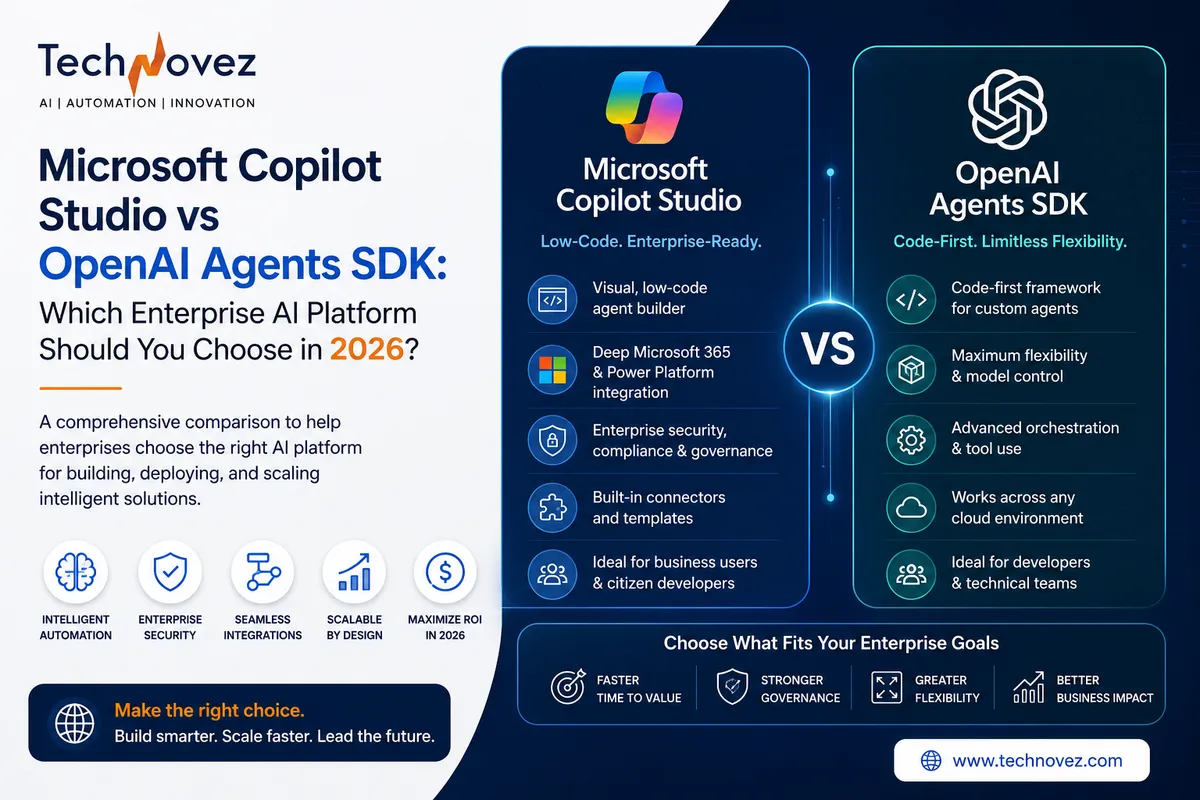
| Hero Image Concept | A split visual showing a low-code visual canvas on one side and Python code/terminal elements on the other, connected by a shared agent icon, in navy and teal tones. |
| Suggested Featured Image Title | Copilot Studio vs OpenAI Agents SDK: Two Paths to Enterprise AI Agents |
| AI Image Generation Prompt | Modern enterprise tech illustration, split composition: left side shows an abstract low-code visual builder canvas with connected nodes, right side shows abstract code editor lines and terminal elements, both converging on a shared central agent icon, navy and teal tones; flat corporate style, no text, no logos |
| Alt Text | Split illustration comparing Microsoft Copilot Studio's low-code builder with the OpenAI Agents SDK's code-first development approach |
| SEO-Friendly Filename | microsoft-copilot-studio-vs-openai-agents-sdk-2026.jpg |
| Caption | Two different paths to enterprise AI agents: low-code speed versus code-first control. |
AI-Generated Infographic Ideas
- Copilot Studio vs OpenAI Agents SDK, visualized as a side-by-side feature comparison graphic
- The two architecture diagrams, rendered as formal side-by-side system diagrams
- The Weighted Decision Matrix, visualized as a scoring chart
- The Hybrid Architecture pattern, visualized as a combined system diagram showing both platforms connected
- The 90-Day Enterprise Adoption Roadmap, visualized as a timeline graphic
NLP Keyword List
Microsoft Copilot Studio, OpenAI Agents SDK, OpenAI Agents, AI agents, Agentic AI, enterprise AI, AI automation, Power Platform, Azure AI Foundry, OpenAI API, GPT-5, LLM agents, multi-agent systems, AI orchestration, enterprise automation, AI development framework, AI workflow automation, Copilot Studio vs OpenAI, OpenAI SDK, AI integration, Model Context Protocol, Retrieval-Augmented Generation, Microsoft Entra ID, low-code development, code-first development.
Featured Snippet Optimization Notes
The Featured Snippet Answer at the top of this document is a direct 40–60 word comparison matching Google's preferred featured snippet format for comparison queries. Each major H1 section opens with a Quick Answer callout to support AI Overviews and other GEO citation formats, and the FAQ section is structured for FAQPage schema eligibility.
Content Gap Analysis vs. Leading Comparison Articles
- Most existing comparisons focus heavily on features and skip architecture; this guide includes full text-based architecture diagrams for both platforms.
- Few competing articles address hybrid usage; this guide dedicates a full section to combining both platforms in one architecture.
- Most comparisons omit a weighted decision framework; this guide provides a scoring matrix tied to concrete organizational factors.
- This guide separates governance and security into a dedicated, detailed comparison rather than a single bullet point, reflecting how enterprise buyers actually evaluate these platforms.
- Opportunity: a companion technical deep-dive on connecting Copilot Studio to Agents SDK-based systems via MCP could extend topical authority further.
Social Media Assets
LinkedIn Article Summary
Choosing between Microsoft Copilot Studio and the OpenAI Agents SDK isn't about which platform is objectively better — it's about which fits your team, governance requirements, and use case. This vendor-neutral guide compares both platforms across features, architecture, security, integrations, and cost, and includes a weighted decision framework, comparison scorecard, and a hybrid architecture pattern many enterprises are already using.
LinkedIn Post
“Which AI agent platform should we use?” is the wrong first question.
The better question: does your team build with low-code configuration or Python, and does your governance model already live inside Microsoft's ecosystem or somewhere else?
Our latest guide is a genuinely vendor-neutral comparison of Microsoft Copilot Studio and the OpenAI Agents SDK — architecture, security, integrations, cost, and a weighted decision matrix to help you choose (or combine both).
Full comparison → link in comments.
#MicrosoftCopilotStudio #OpenAI #AgenticAI #EnterpriseAI #AIAgents
Facebook Post
Microsoft Copilot Studio or the OpenAI Agents SDK — which is right for your business? Our latest guide is a genuinely vendor-neutral comparison covering architecture, security, cost, and a weighted decision framework to help you choose. Read it here →
Medium Introduction
Enterprise teams evaluating AI agent platforms in 2026 tend to land on the same shortlist: Microsoft Copilot Studio and the OpenAI Agents SDK. They solve overlapping problems in fundamentally different ways — one a low-code platform built for speed and Microsoft ecosystem integration, the other a code-first Python framework built for engineering control and custom orchestration. This guide is a genuinely vendor-neutral comparison: what each platform is, how their architectures differ, how security and governance compare, where each one wins on real enterprise use cases, and a practical decision framework for choosing between them — or, as many enterprises are discovering, combining both.